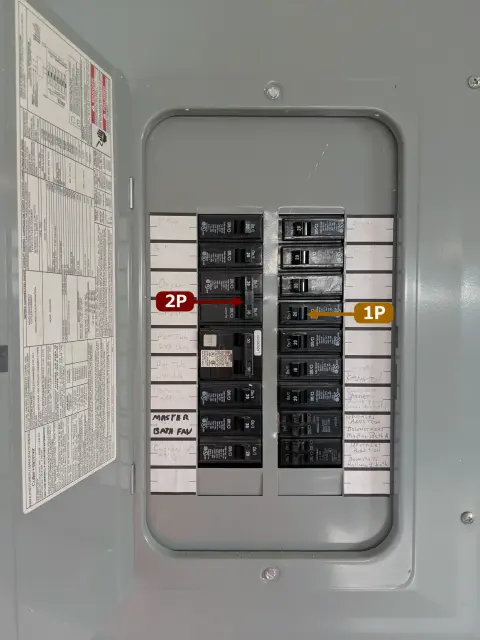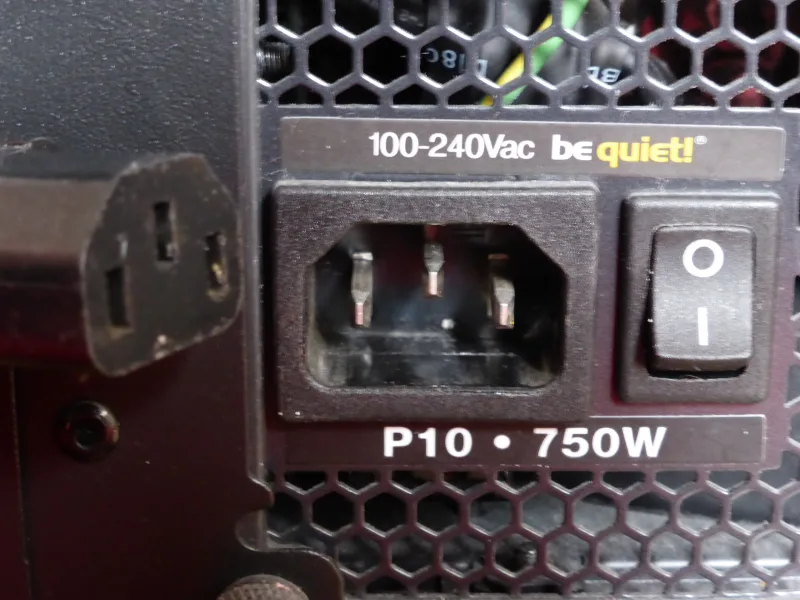
On a power switch, “I” means ON and “O” means OFF. The straight line marks the on position; the circle marks the off position. On a typical rocker switch with a symbol at each end, the end pressed down tells you which position is selected.
What Do “I” and “O” Mean on a Power Switch?
The marks commonly written as “I” and “O” are graphical symbols: a line and a circle. IEC 60417 identifies them as 5007, “ON” (power), and 5008, “OFF” (power). They describe the power-switch positions, as shown in Boston Scientific’s standards-based symbol glossary.
| Mark | Meaning | Typical mechanical switch action | IEC 60417 reference |
|---|---|---|---|
| “I” — line | ON | Closes the controlled contacts, allowing the circuit to receive power | 5007 |
| “O” — circle | OFF | Opens the controlled contacts, interrupting that path | 5008 |
A closed contact provides a conducting path, but the switch cannot supply electricity by itself. The source must also be available, and the equipment may need another command before it starts. Likewise, an OFF marking describes the switch’s function; it does not establish that every part inside the equipment is free of voltage.
Using the same shapes across equipment reduces dependence on words such as “on” and “off” in different languages. Their standardized meaning is the useful background to understand. For a quick memory aid, think 1 = on, 0 = off: the line resembles 1 and the circle resembles 0. That is a way to remember the marks, rather than evidence for a particular invention date or historical origin. In this context, “I/O” refers to power-switch markings; the abbreviation “input/output,” used for computer ports and signals, has a different meaning.
“I/O” Markings on Rocker Switches and Other Devices
A rocker pivots when pressed: one end moves down while the other rises. On the common two-position ON/OFF type with “I” and “O” printed directly on the moving rocker, “I” pressed down means ON; “O” pressed down means OFF. Read the depressed end, even though the raised end may be more noticeable.

The markings are more reliable than a remembered direction. A rocker may be mounted vertically or horizontally, so “up is on” and “left is on” are not universal rules. If the labels are on a fixed panel beside the actuator, read the position indicated by that panel. An indicator lamp is also an aid rather than a universal test: its function depends on how the product is designed.
The two-position rule has a specific scope. Rockers also come in center-off and spring-return versions; a spring-return actuator moves back when released. C&K;’s rocker-switch documentation illustrates why appearance alone does not identify the contact arrangement or operating action. For a rocker with three positions or one that will not stay pressed, use its position labels and model instructions rather than assuming it works like the two-position example above.
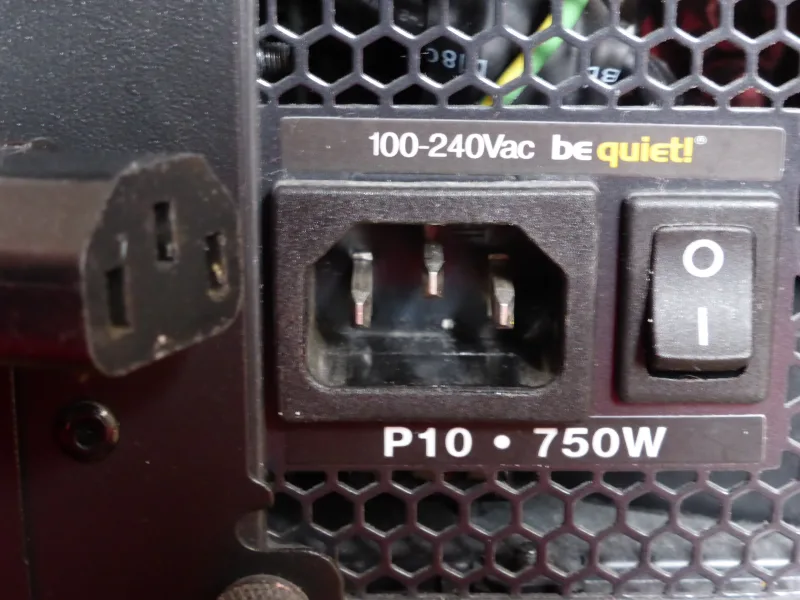
A desktop computer’s power supply makes the distinction between “on” and “running” clear. Its rear “I/O” switch controls incoming power to the power supply unit, or PSU. With the mains connection available and that switch at “I”, the PSU can receive power, but the computer does not necessarily boot. The separate case power button normally requests the system to start. Corsair’s PSU FAQ explicitly distinguishes these two controls.
The same “I/O” meanings appear on some switched power strips, appliances and control panels. On a toggle switch, follow the lever’s marked positions; the rocker-specific instruction to look for a depressed end does not apply. Circuit breakers may also carry “I”/ON and “O”/OFF markings, but some have a separate trip position or indication. A trip is not simply another name for manually switching off.
These symbols do not tell you how many conductors the device disconnects. A single-pole and a double-pole device can both carry “I/O” markings while opening different numbers of contact paths. For electrical work, an “O” marking alone is not verification of a safe, isolated circuit.
Other Power Symbols You May See
A line and circle combined into one mark need closer attention. In particular, the broken-circle power symbol and the closed-circle on/off symbol look similar but have different standardized meanings. The Unicode character chart distinguishes the power/standby, power on/off and sleep symbols and identifies their standards references.
| Symbol | Name | What to notice |
|---|---|---|
 | Power / standby | The circle has a gap at the top; the line extends through that opening. |
 | Power on/off | The circle is complete, with a line inside it. |
 | Sleep | A crescent identifies a sleep function or state. |
Power / standby: IEC 60417-5009 identifies standby. This familiar broken-circle mark is also widely used on electronic power buttons. Pressing such a button can send a command to control electronics instead of mechanically disconnecting the supply. The equipment may retain power for functions such as responding to a remote control. Its short-press and long-press behavior comes from the device’s controls and settings, so the symbol alone does not specify which action will occur.
Power on/off: IEC 60417-5010 identifies an on/off push-push control. Both positions are stable: the selected state remains after the button is released. A typical action is to press once to switch on and again to switch off. This combines control of both states at one button, whereas a two-position rocker identifies its states at opposite ends. Keep the complete circle distinct from the gap in the standby symbol.
Sleep: the crescent, associated with IEEE 1621, marks a low-power sleep function. It does not mean the equipment is disconnected from its supply. A device may wake through a button, keyboard or another supported input, depending on its design. The practical difference is that sleep preserves a way to resume operation, while the plain “O” mark identifies the off position of the power switch.